Changelog

Follow new updates and improvements to Heresafe.

New

Questionnaires Phase 2: Manage and customise your existing questionnaires

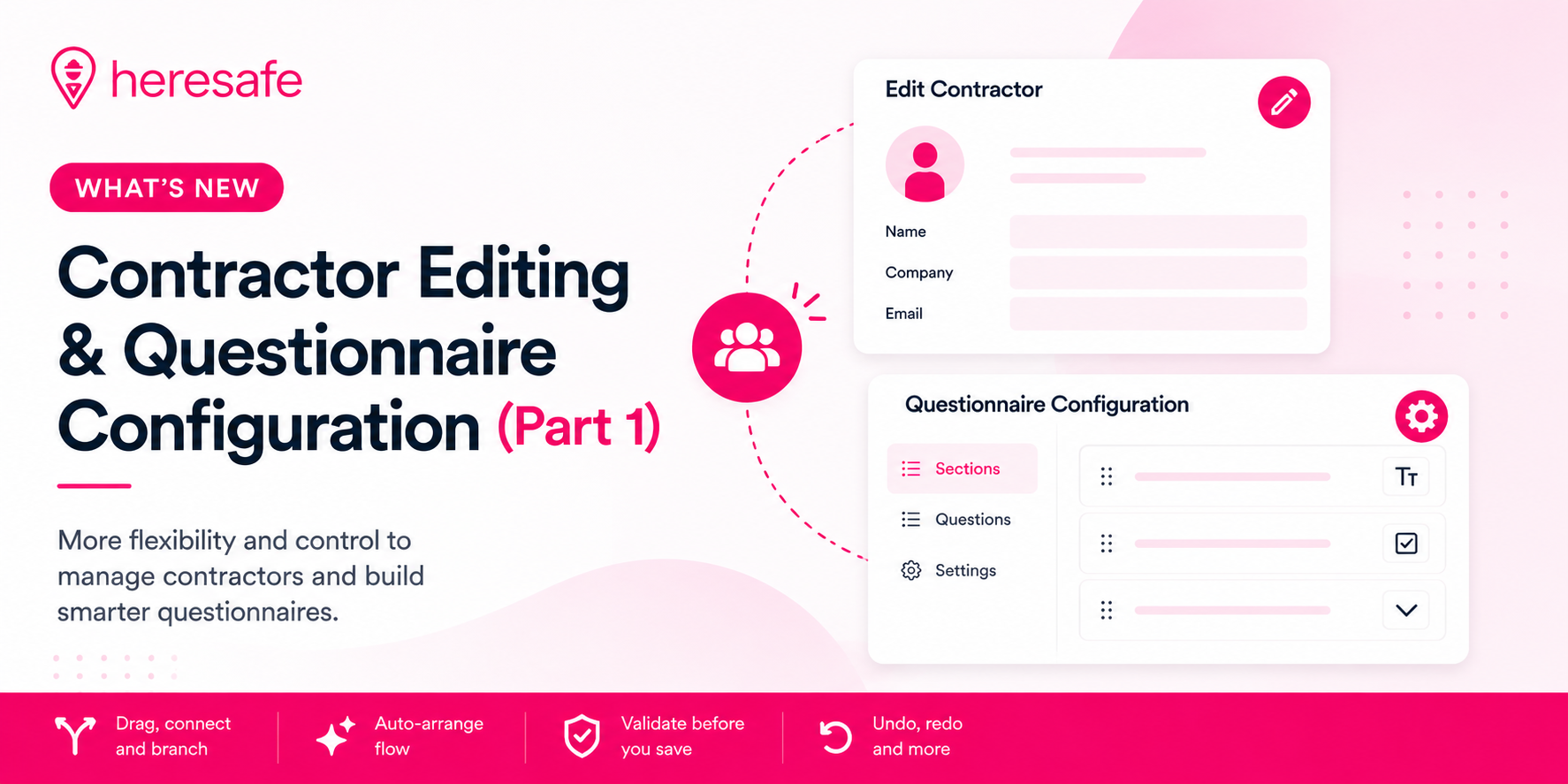
You can now manage and customise your existing questionnaires directly in Heresafe. Update questions, add or remove questions, reorder the existing questionnaire and adjust how it flows, without needing to raise a support request.

What’s new

  • Edit your questions

  • Change the wording of questions within your existing questionnaires.

  • Add questions to an existing questionnaire or remove ones you no longer need.

  • Reorder questions to change the journey contractors follow.

  • Manage your questionnaire flow

  • See your existing questionnaire as a visual flowchart, making it easier to understand the journey at a glance.

  • Drag questions from the side panel onto the flowchart to add them to your questionnaire.

  • Move questions around to change their order.

  • Connect questions together to control how the questionnaire flows, including creating different paths based on Yes and No answers.

  • Full audit log

  • Every change made to a questionnaire is recorded.

  • See what was changed and when, giving you a clear history of updates.

Why it matters

Previously, making changes to an existing questionnaire usually meant raising a support request and waiting for the changes to be made. Managing branching logic could also mean keeping track of different routes separately.

Now, you can make changes to your existing questionnaires yourself and see how the journey works as you update it.

This gives you more flexibility to keep your questionnaires aligned with changing site rules, compliance requirements and contractor processes, without needing to raise a request each time a change is needed.

Please see the below video on how to use the new functionality

Getting started

Questionnaire editing is available to users with the appropriate admin permissions.

If you can't see the questionnaire management options, speak to your system administrator or contact your Customer Success Partner.

New

Feature Request Updates

See who checked a contractor in or out - Available from your next App update

Heresafe now records the name of the team member who checks each contractor in or out, giving you a clearer audit trail of on-site activity.

What’s new

Named check-ins and check-outs
Each time a contractor is checked in or out, the team member who completed the action is now recorded alongside it.

A clear point of contact
If you need to query a contractor’s check-in or check-out, you can quickly see who handled it and follow up with the right person.

Why it matters

Help desk and gatehouse teams sometimes need to look into why a contractor was checked in or out, particularly when something happens outside the usual process.

Previously, this could mean asking around to find out who completed the action. Now, the name is recorded alongside each check-in and check-out, making it easier to trace what happened and speak to the right person.

It also provides a clearer and more complete audit trail of contractor movements on site.

Where did this come from?

This improvement came directly from customer feedback on our Feedback Board. Thank you to everyone who suggested, voted for and commented on the idea.

Have an idea that could make Heresafe work better for your team? Share it on our Feedback Board.

NewImproved

Product Improvements and New feature Release

Single Contractor editing

Ever had to create a new project because the contractor has changed? Or found yourself deleting the existing contractor before you can add the new one, thinking there must be an easier way? 👀

Well, there is! 🎉

You can now swap a contractor in just four simple clicks. No need to delete the existing contractor or create a whole new project.

The best part? You can do it either from within the project itself or directly from Project Search.

This update will be available with your next app update, so you’ll soon be able to make those contractor changes much quicker and easier. 🚀

Check out the demo below to see it in action!

Questionnaire Configuration: Phase 1 is Live! 🎉

The first stage of our Questionnaire Self-Configuration is now live!

You can now:

  • Re-order questions within your existing questionnaires

  • Change branching and update how your existing questionnaire flows work

This is just the beginning. 🚀

We’re currently putting the finishing touches to the next stage, which will allow you to edit existing questions and create completely new questions. We’re just finalising this functionality before we release it, so keep an eye out for the next update!

Automated Post-Expiry Credential Reminders

We’ve introduced automated reminders for expired credentials, helping you stay on top of documentation that has passed its expiry date.

What’s new?

Heresafe already sends notifications to subcontractors and suppliers when credentials are approaching their expiry date. This new functionality takes things a step further by continuing the reminder process after a credential has expired.

Once enabled, the system will automatically send reminders to relevant subcontractors and suppliers whose credentials have expired. These reminders will continue at the agreed frequency until the required updated documentation has been uploaded.

Choose your reminder frequency

The post-expiry reminder alert can be configured to suit your requirements. Whether you want reminders weekly, fortnightly or at another regular frequency, we can set this up for you.

Please contact us to enable this alert and let us know your preferred reminder frequency.

Why is this useful?

This helps reduce the need for manual follow-ups and makes it easier to maintain up-to-date contractor documentation.

By continuing to remind suppliers after a credential has expired, you can help ensure important documents such as insurances, policies and certifications are kept current and compliance gaps are quickly brought to attention.

No more expired credentials quietly gathering dust. Heresafe will keep the reminders coming until the updated document is uploaded. 📋🔔

🚨 Alerts Module: It’s Here, With More to Come! 🚨

You may have noticed you’ve been seeing and receiving a few more notifications recently… and here’s why! 👀

We’ve changed the way Alerts work to make them more user-friendly and, more importantly, give you greater control over how they work.

With more of our system alerts being added to the module, and a My Subscriptions section coming soon, we’re giving you the flexibility to decide:

🔔 What alerts are triggered
👥 Who receives them
⚙️ How they’re sent

The aim is simple: put you in control of your notifications, so you get the alerts you need, without being bombarded by the ones you don’t.

Want to see how it all works? 👀 Our lovely Dev, James, is here to talk you through it in the video below! 🎥🚨 Alerts Module: It’s Here, With More to Come! 🚨

You may have noticed you’ve been seeing and receiving a few more notifications recently… and here’s why! 👀

We’ve changed the way Alerts work to make them more user-friendly and, more importantly, give you greater control over how they work.

With more of our system alerts being added to the module, and a My Subscriptions section coming soon, we’re giving you the flexibility to decide:

🔔 What alerts are triggered
👥 Who receives them
⚙️ How they’re sent

The aim is simple: put you in control of your notifications, so you get the alerts you need, without being bombarded by the ones you don’t.

Want to see how it all works? 👀 Our lovely Dev, James, is here to talk you through it in the video below! 🎥
NewImproved

Product Enhancements!

We’ve made several improvements to Heresafe, with multiple updates arriving in your next app release.

These changes are the result of feedback and feature requests from Heresafe users, so please keep sharing your ideas. Your input helps us improve Heresafe in ways that make a real difference to the teams using it.

Check-In Time now visible

You asked for more visibility around contractor check-in and check-out activity, including the ability to see what time contractors checked in.

With this update, check-in times are now visible on the contractor check-in/out page within a project. When a contractor is marked as On Site, you can hover over the On Site notification on their contact card to see the time they checked in.

This gives teams a clearer view of when contractors arrived on site and makes contractor attendance easier to monitor throughout the day.

Re-Request button

You asked for an easier way to remind contractors when project credentials are still outstanding.

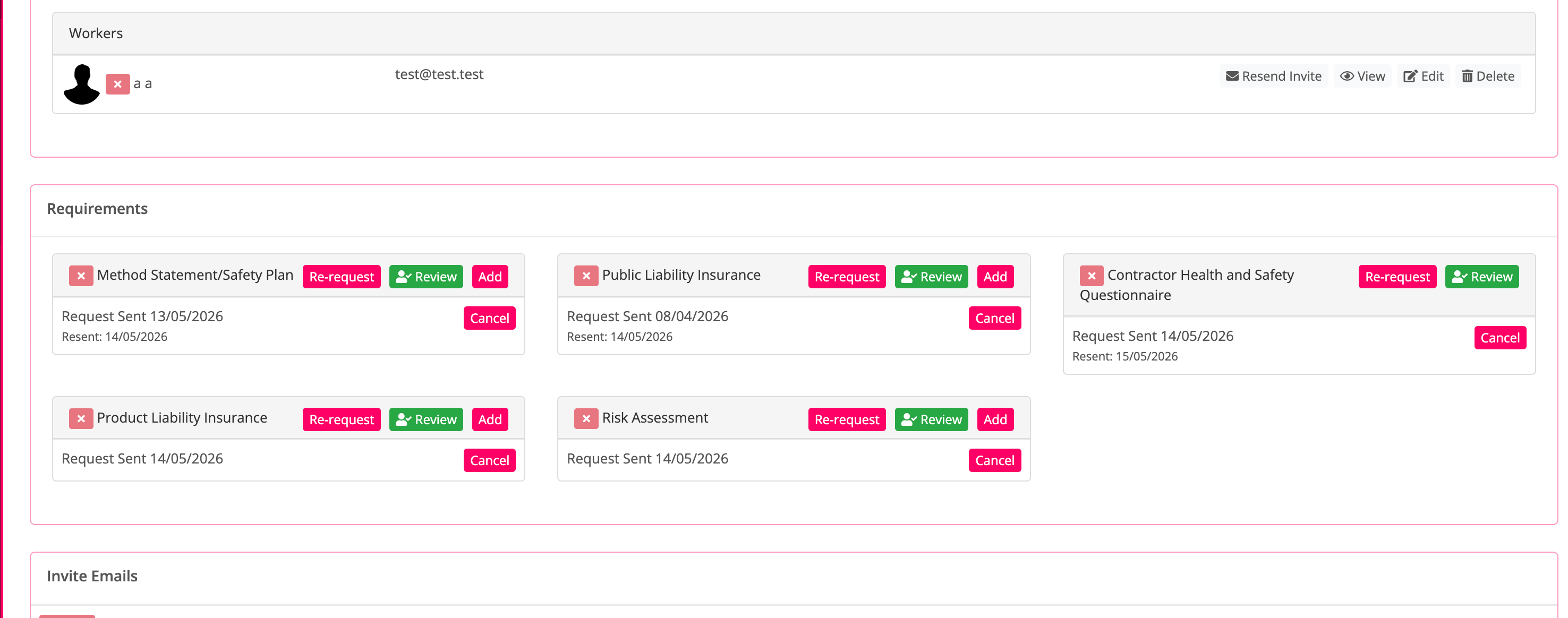
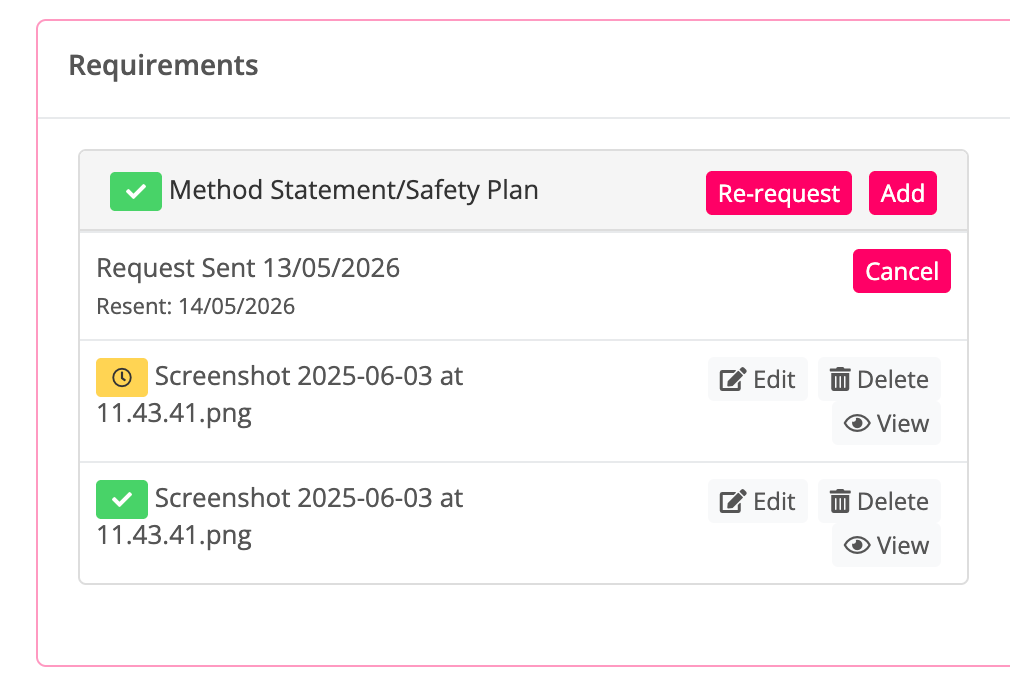
Project credentials now include a Re-request button, allowing you to send another request for the missing documents. Heresafe will also display the dates those documents were re-requested, giving teams a clearer record of follow-ups and making it easier to track outstanding contractor information.

Contractor Rating

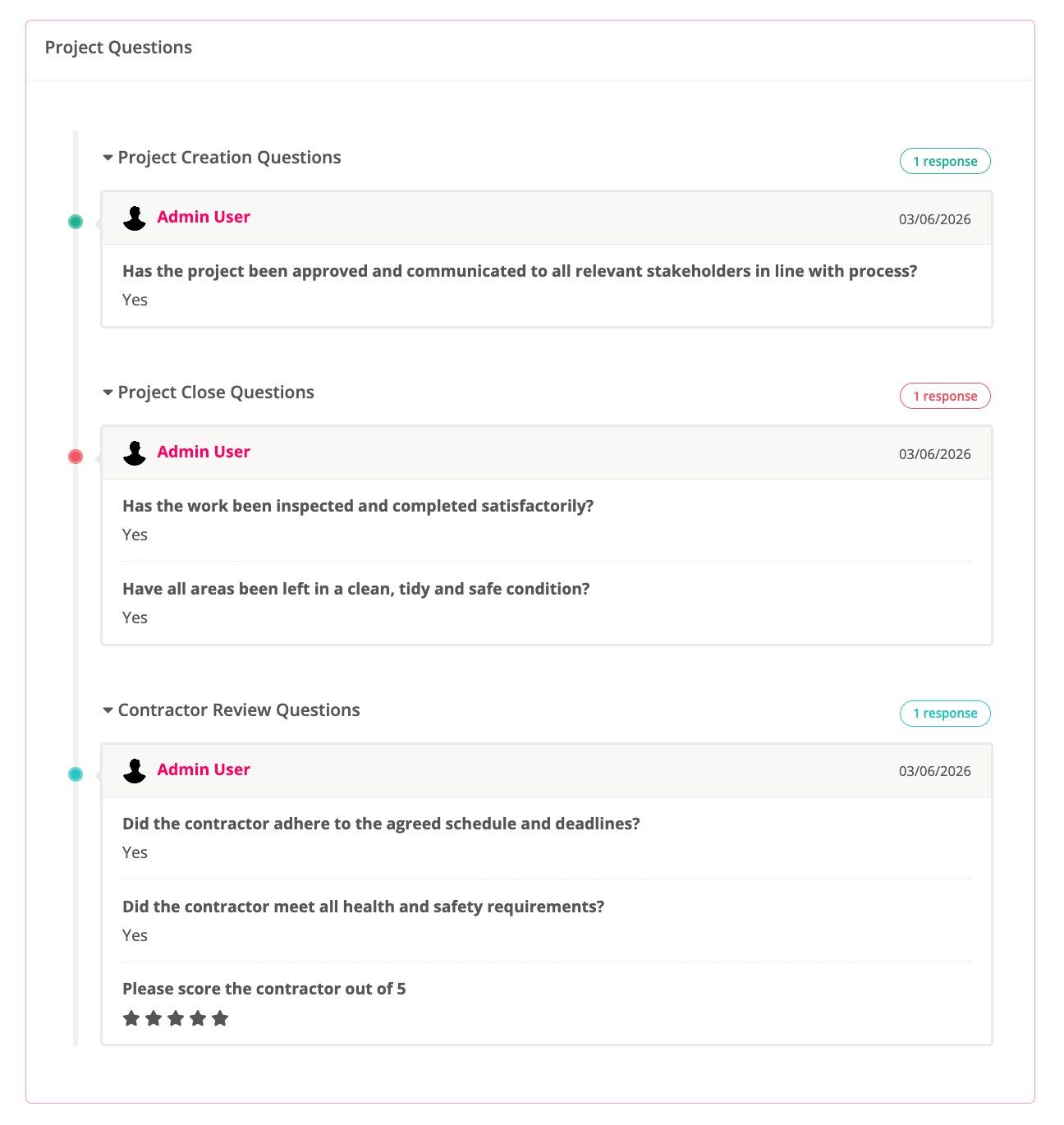
Ever wanted to be able to score a contractor based on the work they have completed and have it stored against that project and their profile? Well now you can with the next stage of our project questions work.

You can see a timeline of the questions asked and the answers given, giving teams a clearer record of the information captured through project questions.

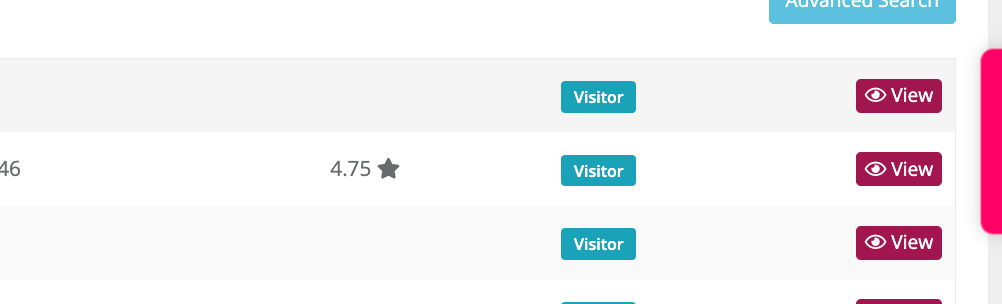
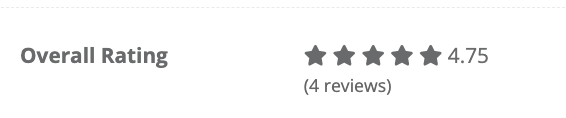
And now you can also select a star rating when creating project questions. Once star rating questions are in use, Heresafe will show an average rating for any scored company in company search results and on the company profile.

Project Approval Restrictions

You asked for a way to stop users from accepting a project company before all criteria and requirements have been met.

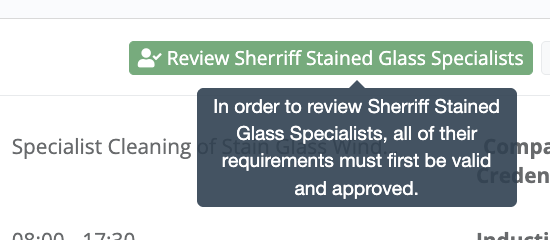
This functionality is now available. Once enabled, users without the relevant override permission will not be able to accept a project company until the required criteria have been completed.

Users without the override permission will see disabled buttons with the help text shown below:

To enable this, please contact your Customer Success Partner and let them know which permissions should have the ability to override this restriction.

Want more behind-the-scenes Heresafe?

Follow us on LinkedIn, Facebook, Instagram and YouTube for more updates, feature videos and quick looks at the improvements we’re building from your feedback.

New

Internal User Report with Permission Export & System Usage Report

✅ New: Better user visibility, reporting and exports

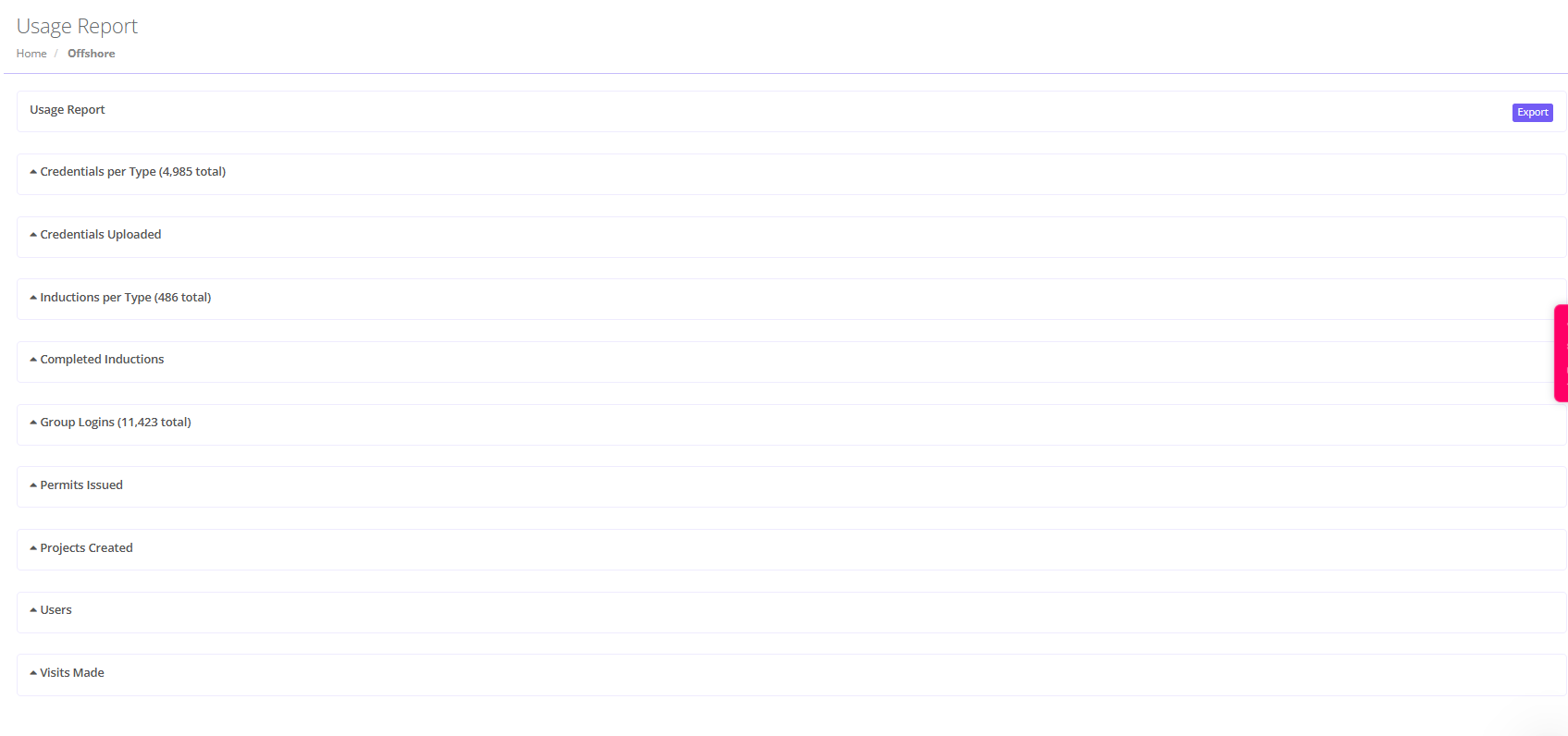
We’ve made it easier to get a clearer picture of user activity in Heresafe, with more useful user information now available in the Reports section.

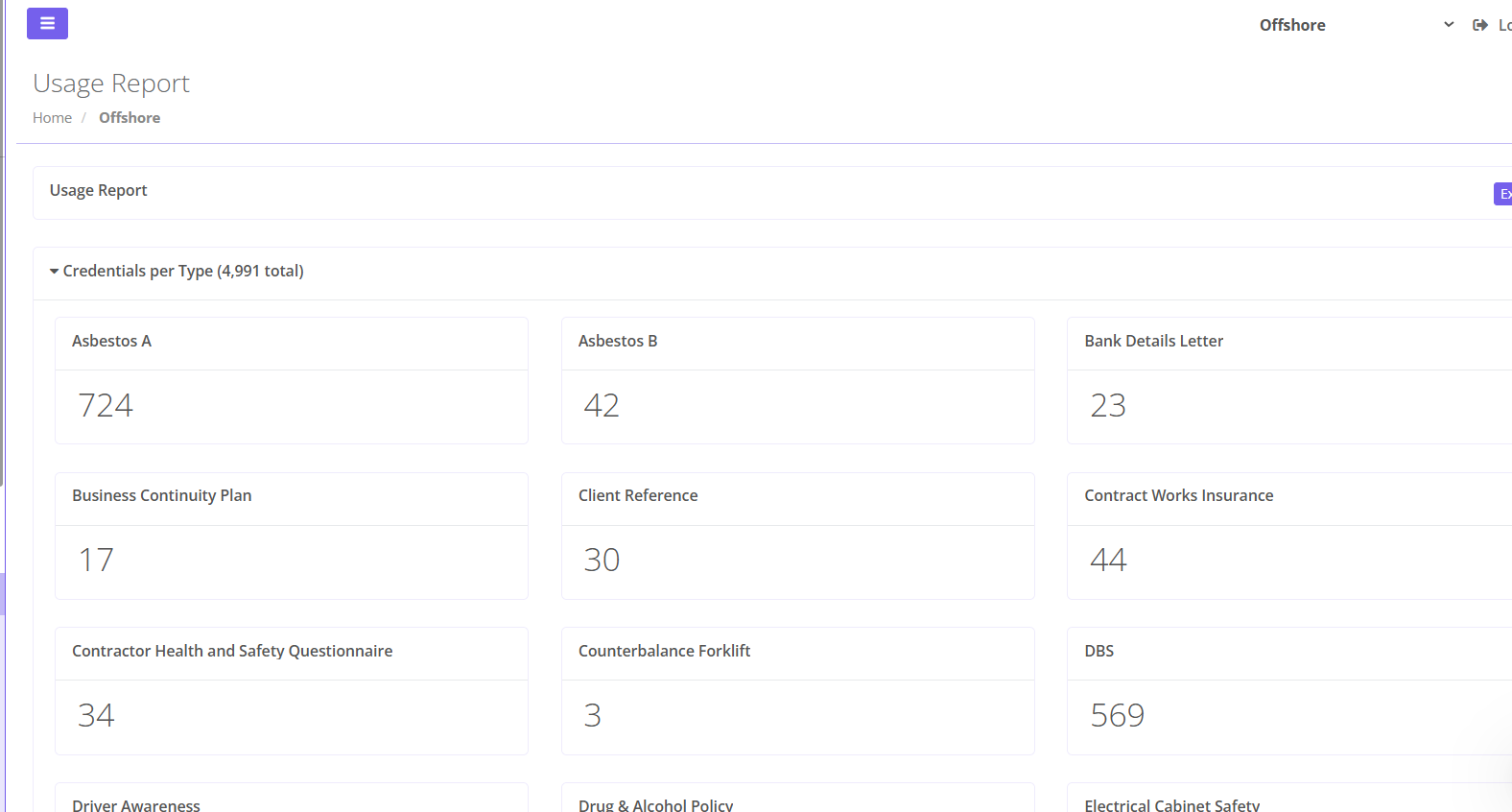
The Dashboard view now includes a more detailed breakdown, including:

  • Total credentials and credentials by individual

  • Inductions by type and completion status

  • Group logins

  • Permits issued

  • Projects created

  • Users

  • Visits made

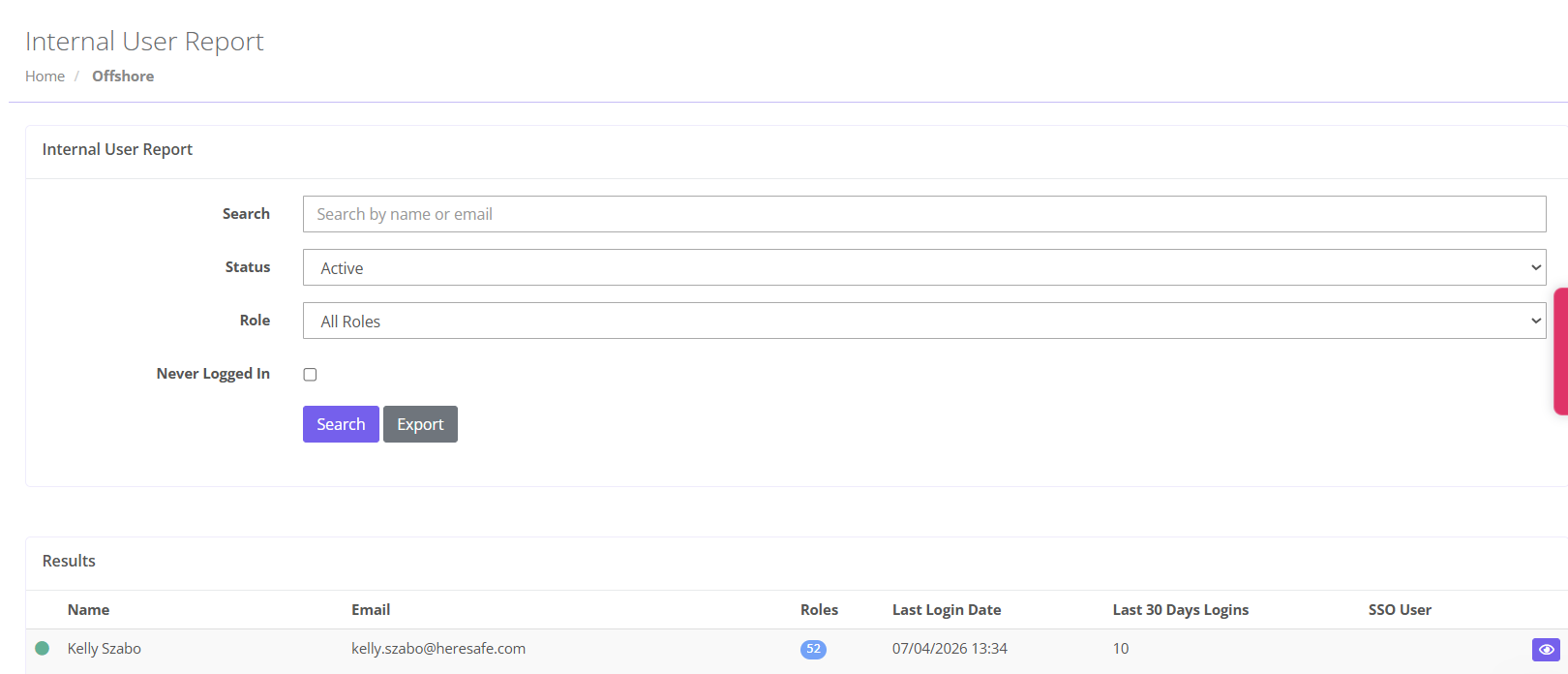
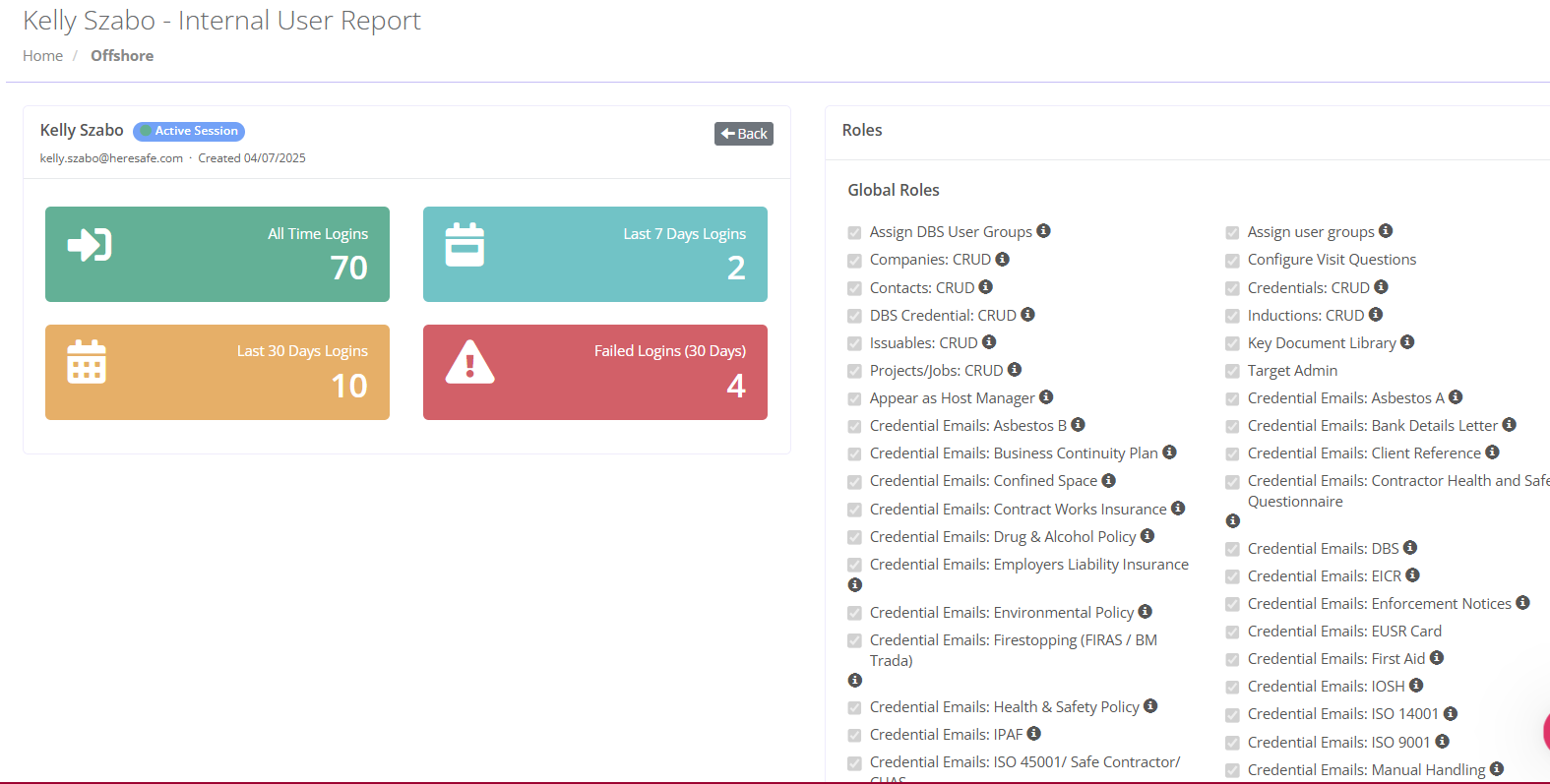
You asked for a simpler way to pull a list of users and their roles, and that is now available in the Reports section of the app, under the Internal User Report.

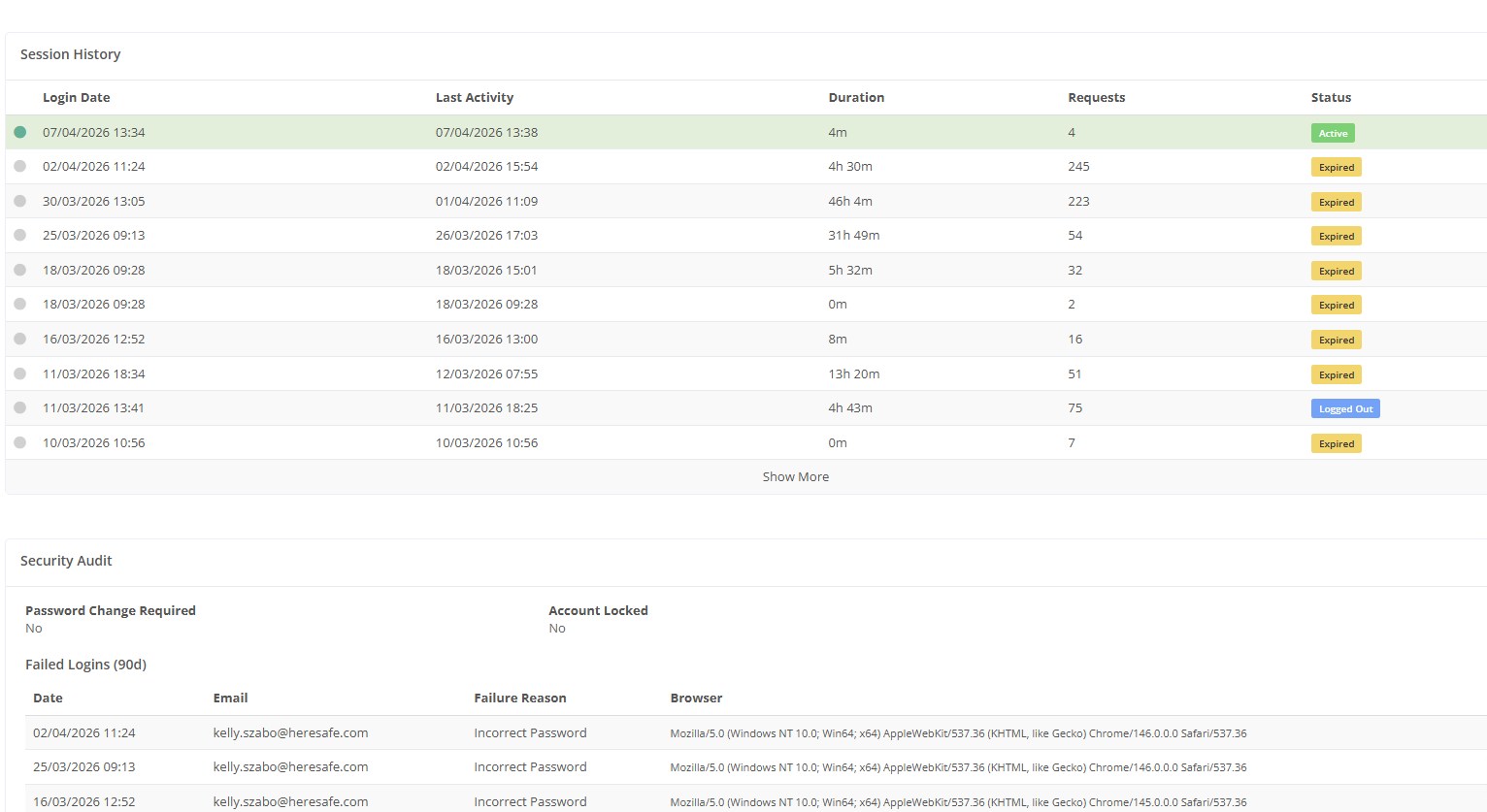
The new report now includes:

  • Last login

  • Number of logins

  • Roles

New

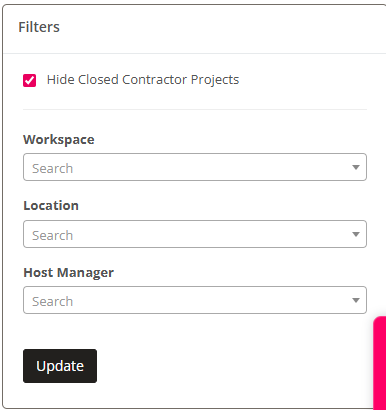
Filters now available on the Project calendar

Take control of your project view with our enhanced calendar filtering.

You can now instantly filter projects by workspace, location, or host manager, making it easier than ever to surface exactly what you need. Spend less time searching through every project and more time focusing on the work that matters, with a smarter, faster way to navigate your calendar.

This will show on your apps next update.

New

Additional field on the Permit search Overview

We’ve made a small but handy improvement to Heresafe 🚀

The description of works is now visible in the permit overview within permit search, giving you a quicker snapshot of what’s happening on each permit.

Look out for this addition in your next app update.

New

New Self-Serve Locations Feature Now Available

Hi,

We know how frustrating it can be when you’re unable to complete certain configurations on your own, so we’re pleased to let you know that the first stage of self-serve functionality has now begun 🎉

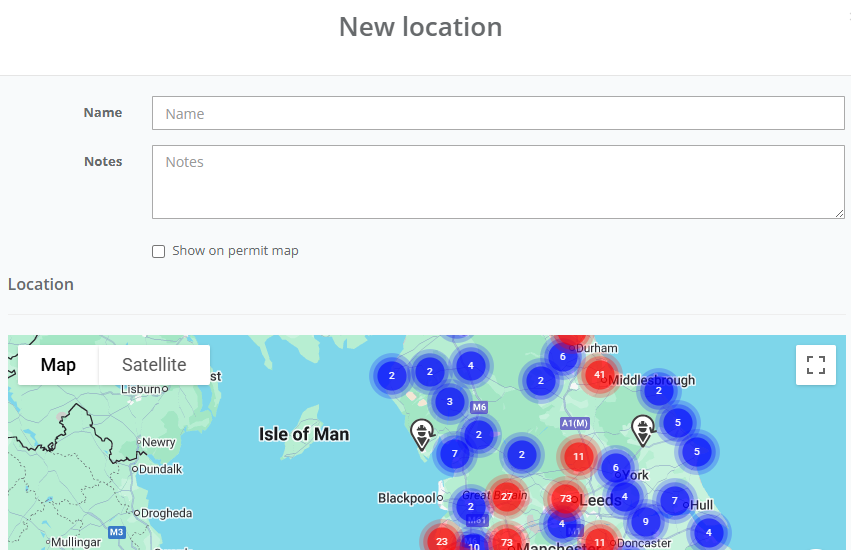
Users with the relevant permissions can now add locations directly within the app. This includes entering latitude and longitude details, allowing the map to accurately configure the precise location for you. If you use QR codes, these can also be generated and printed as part of this process.

How to access the new feature:

  1. Go to Config in the left-hand side menu

  2. Select Locations

  3. Click the plus (+) button in the top-right corner to create a new location

  4. Complete the location details, including the latitude and longitude coordinates

  5. Click Save

If you have QR capability enabled, you’ll also see a QR code button next to the Edit and Delete options for each location, allowing you to view and print the code.

If you have any questions or would like support getting started, please don’t hesitate to reach out, we’re happy to help.

Kind regards,

New

'Approved by' audit trail

We wanted to share a quick update with you on a recent enhancement we’ve made to the system 😊

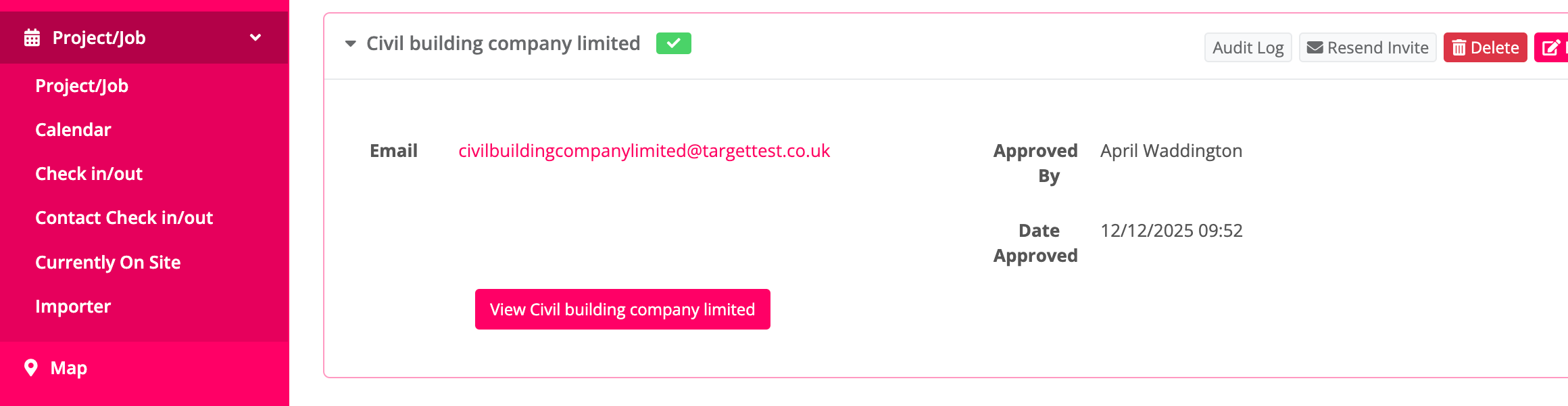
We’ve completed some work to make it easier for you to see which user has approved companies on projects. This gives you clearer visibility over who has overridden required credentials in order to allow non-compliant contractors.

This update works for both single-contractor and multi-contractor projects.

For single-contractor projects, you can see who approved the project and when it was approved directly on the Project Dashboard.

For multi-contractor projects, you can simply hover over each individual company on the Project Dashboard to see who approved them.

As shown below.

These changes will come into effect from the next time your app is updated. We hope you find this update useful and that it helps provide a bit more clarity and confidence when managing your projects. If you have any questions or would like to walk through it together, just let us know. we’re always happy to help.

New

Additional Column Added to the Project Dashboard

You now have the ability to clearly see how many permits selected on a project have been issued. This information now appears directly in your Project Search overview, giving you an at-a-glance view of issued permits. Once all associated permits have been issued, the indicator will turn green.
This enhancement was inspired by how some users were adapting the system to fill a visibility gap. Because the Project Search and the Passes & Permits Search didn’t previously provide a clear indication of whether a project had permits raised against it, users created their own workaround:

  • They used the “Review Company” function on a project as an indicator that a permit had been raised.

  • They then relied on the ticks/crosses in Project Search to identify whether a project had associated permits.

  • This also led to requests to limit access to the Review button so the workaround could be used consistently.

What this highlighted was a broader need: a clear, built-in way to identify whether a project has permits at a glance. For many organisations, permits are central to their use of the system, so having to click through multiple pages to check for raised permits is understandably inefficient.
Instead of adjusting permissions to support a workaround, it makes more sense to deliver proper visibility that benefits all clients using permits.