Product Enhancements!
We’ve made several improvements to Heresafe, with multiple updates arriving in your next app release.
These changes are the result of feedback and feature requests from Heresafe users, so please keep sharing your ideas. Your input helps us improve Heresafe in ways that make a real difference to the teams using it.
Check-In Time now visible
You asked for more visibility around contractor check-in and check-out activity, including the ability to see what time contractors checked in.
With this update, check-in times are now visible on the contractor check-in/out page within a project. When a contractor is marked as On Site, you can hover over the On Site notification on their contact card to see the time they checked in.
This gives teams a clearer view of when contractors arrived on site and makes contractor attendance easier to monitor throughout the day.
Re-Request button
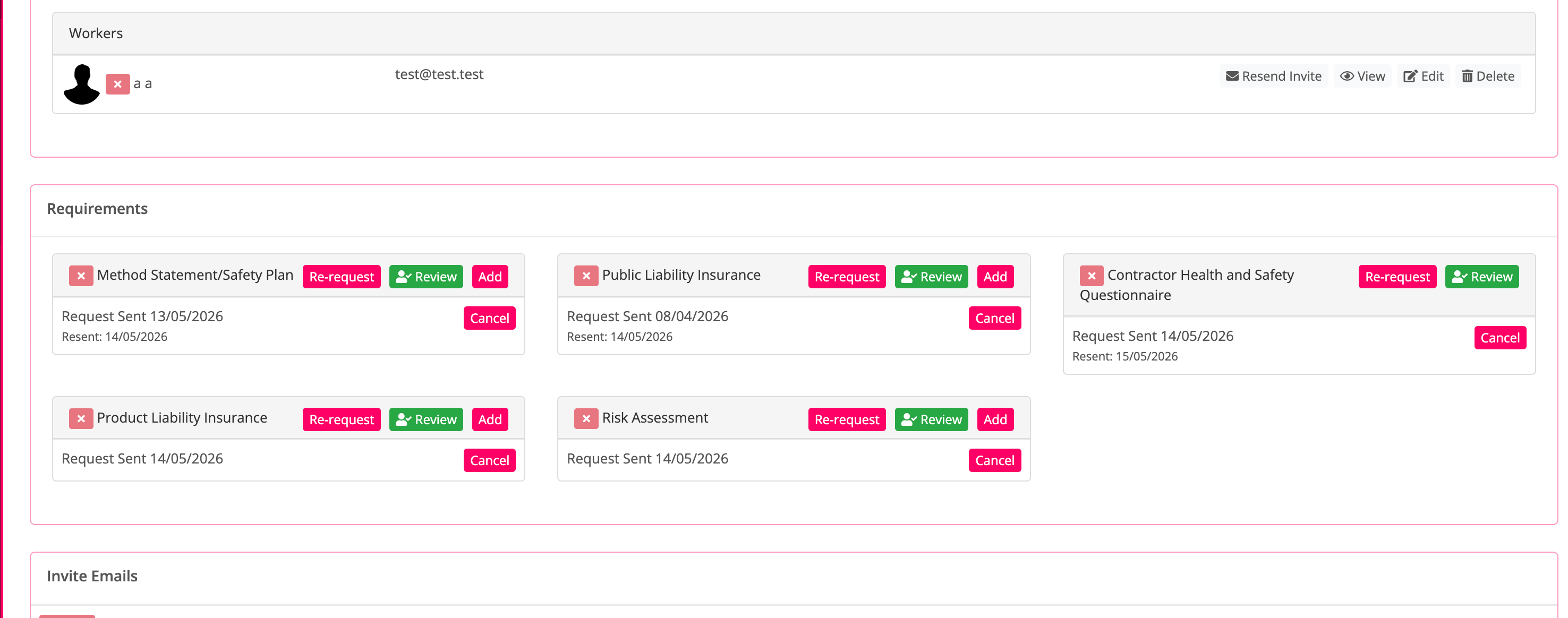
You asked for an easier way to remind contractors when project credentials are still outstanding.
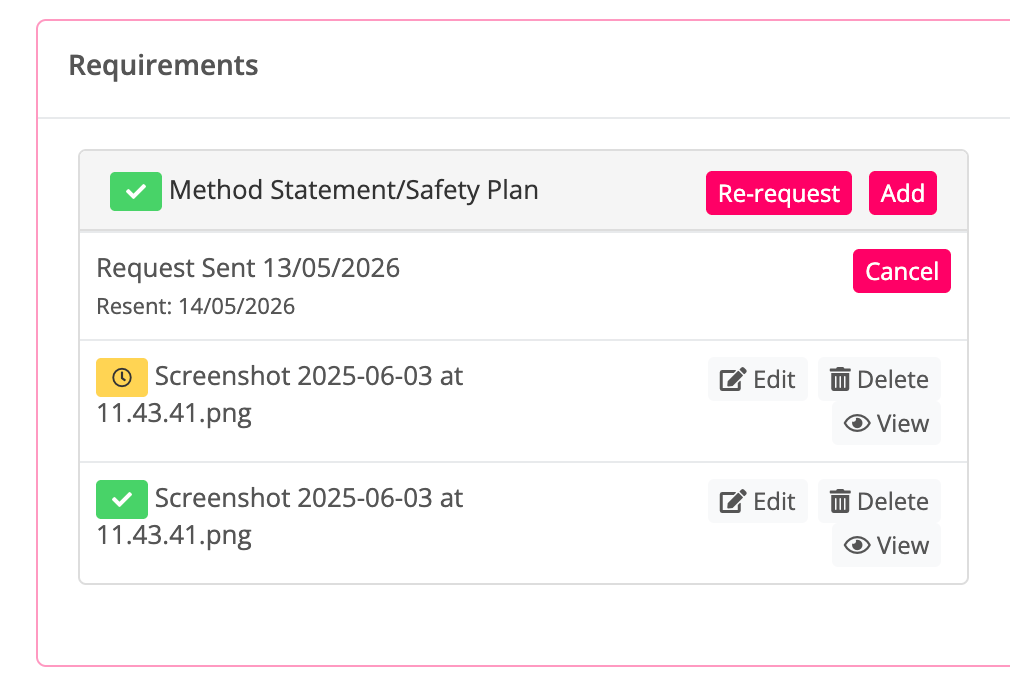
Project credentials now include a Re-request button, allowing you to send another request for the missing documents. Heresafe will also display the dates those documents were re-requested, giving teams a clearer record of follow-ups and making it easier to track outstanding contractor information.
Contractor Rating
Ever wanted to be able to score a contractor based on the work they have completed and have it stored against that project and their profile? Well now you can with the next stage of our project questions work.
You can see a timeline of the questions asked and the answers given, giving teams a clearer record of the information captured through project questions.
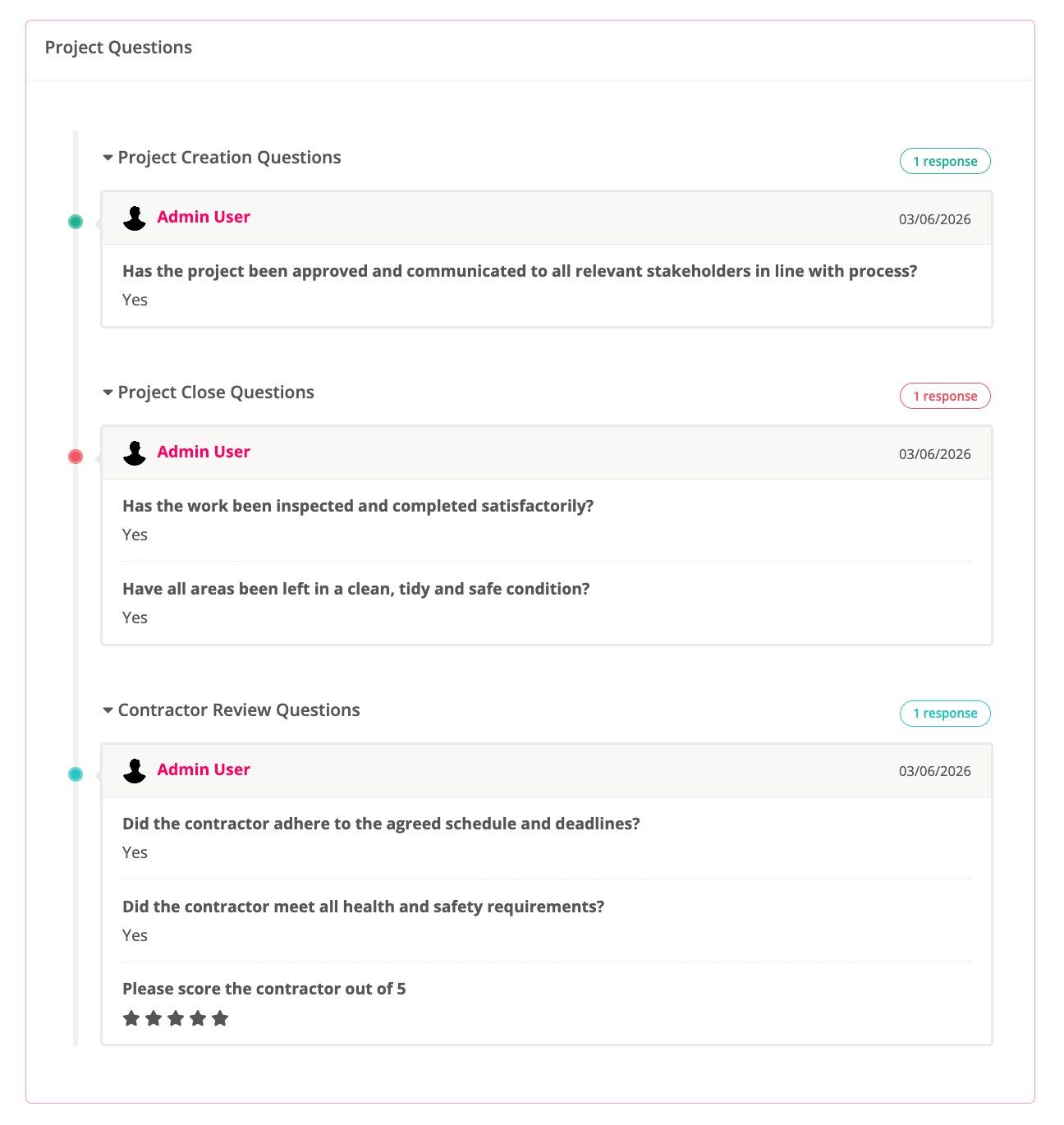
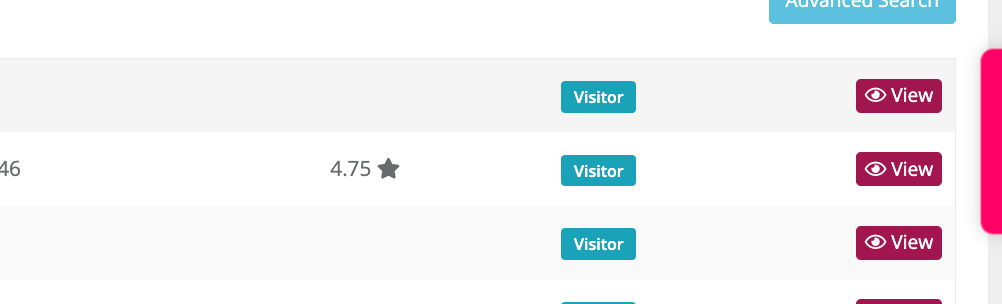
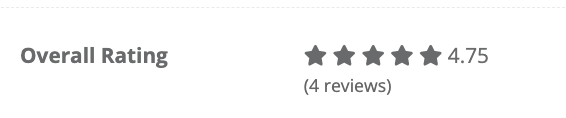
And now you can also select a star rating when creating project questions. Once star rating questions are in use, Heresafe will show an average rating for any scored company in company search results and on the company profile.
Project Approval Restrictions
You asked for a way to stop users from accepting a project company before all criteria and requirements have been met.
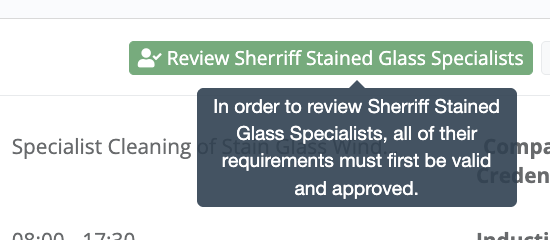
This functionality is now available. Once enabled, users without the relevant override permission will not be able to accept a project company until the required criteria have been completed.
Users without the override permission will see disabled buttons with the help text shown below:
To enable this, please contact your Customer Success Partner and let them know which permissions should have the ability to override this restriction.